Create Storage Pool - PC
A storage pool is a collection of one or more hard drives that can be protected via RAID. Different RAID types provide different levels of data protection. If you are unsure which option to choose, you can refer to the RAID instructions for more recommendations on RAID types, and consult the What is RAID?; if you wish to learn more about the relationship between hard drives and storage pools, you can refer to Relationship Between Hard Drives and Storage Pools
Create a storage pool
To create a storage pool, you need at least one unused hard drive that is in a healthy normal state.
-
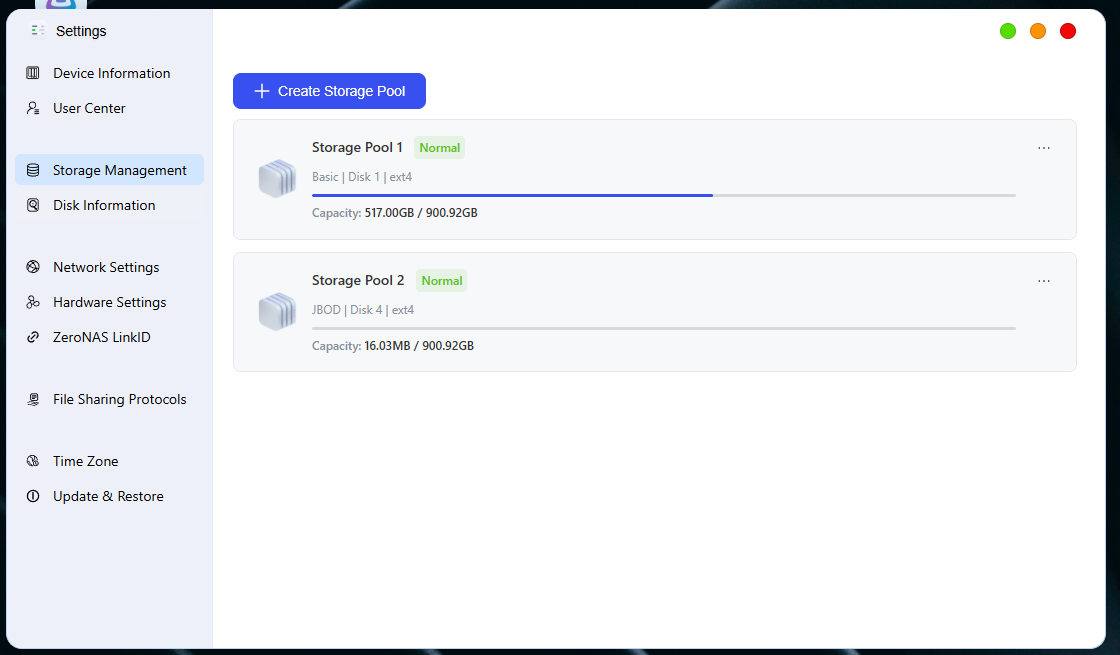
To access the "Storage Management" page: click [System Settings -> Storage Management]
-
Go to the "Storage Pool Creation" page and click [+ Create Storage Pool]
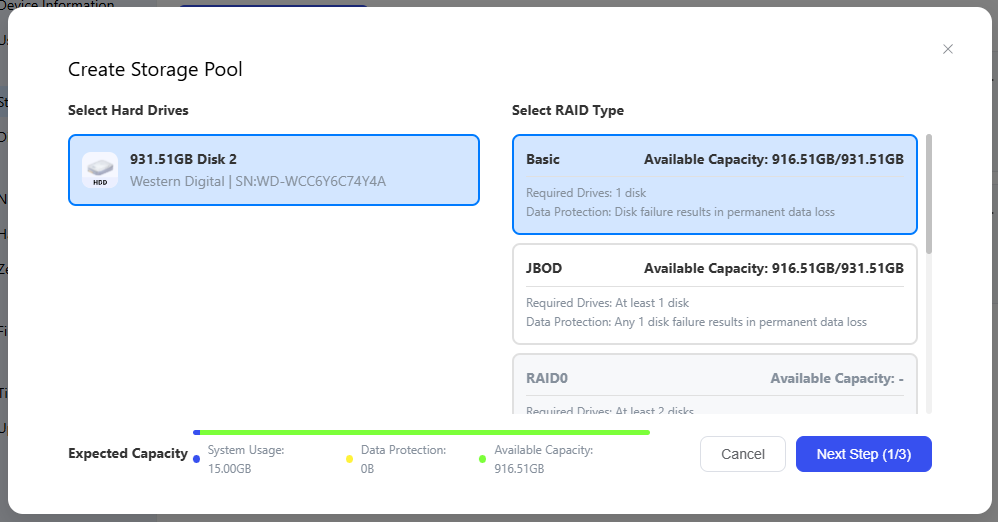
- After selecting the hard disks, the available RAID types will be automatically calculated based on the number of selected disks, and then you can select the RAID type;
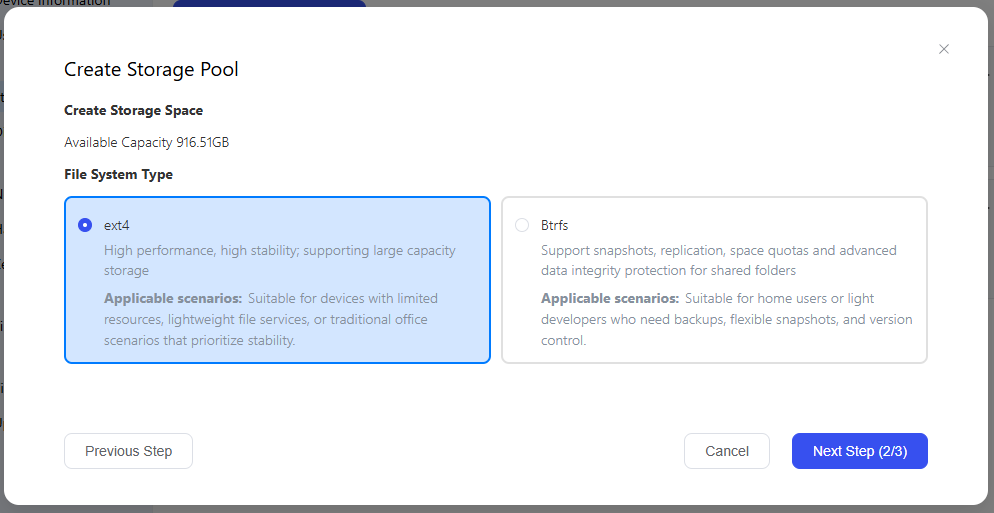
- Click "Next" to go to the file system selection page. For more information about file systems, refer to 铁牛NAS如何选择文件系统;
- After clicking "Next", you can view the overview of the newly created storage pool. If there are any issues, you can click "Previous" to make modifications. Additionally, you need to select Hard Disk Read/Write Detection. To reduce unexpected issues during subsequent use, it is recommended to check the **Detection **option.
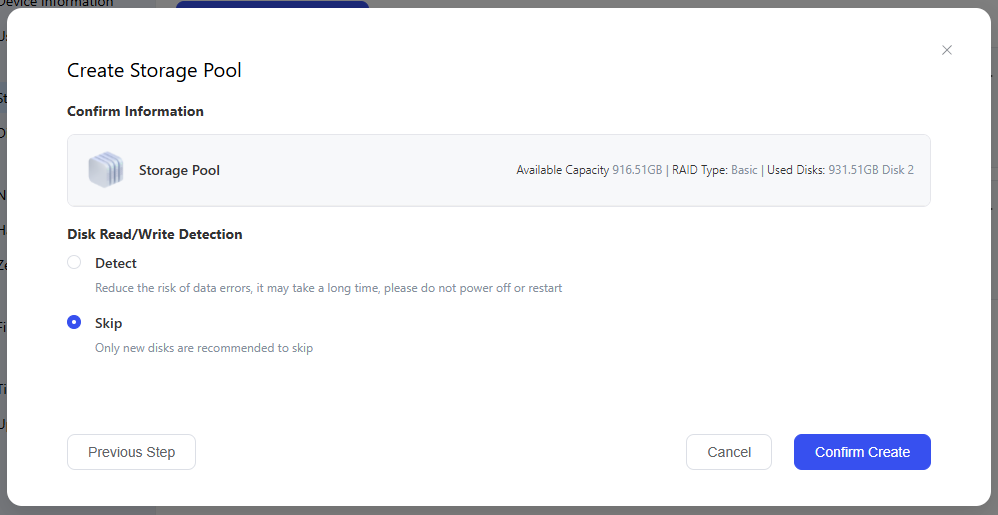
- After confirming that the settings are correct, click "Confirm Creation", carefully read the prompt information, enter the password of the administrator account, then click "Confirm Deletion" to create the storage pool.
Storage Pool Capacity Alert
-
To access the "Storage Management" page: click [System Settings -> Storage Management]
-
In the storage pool list, click ". ..", then click " **Settings **".
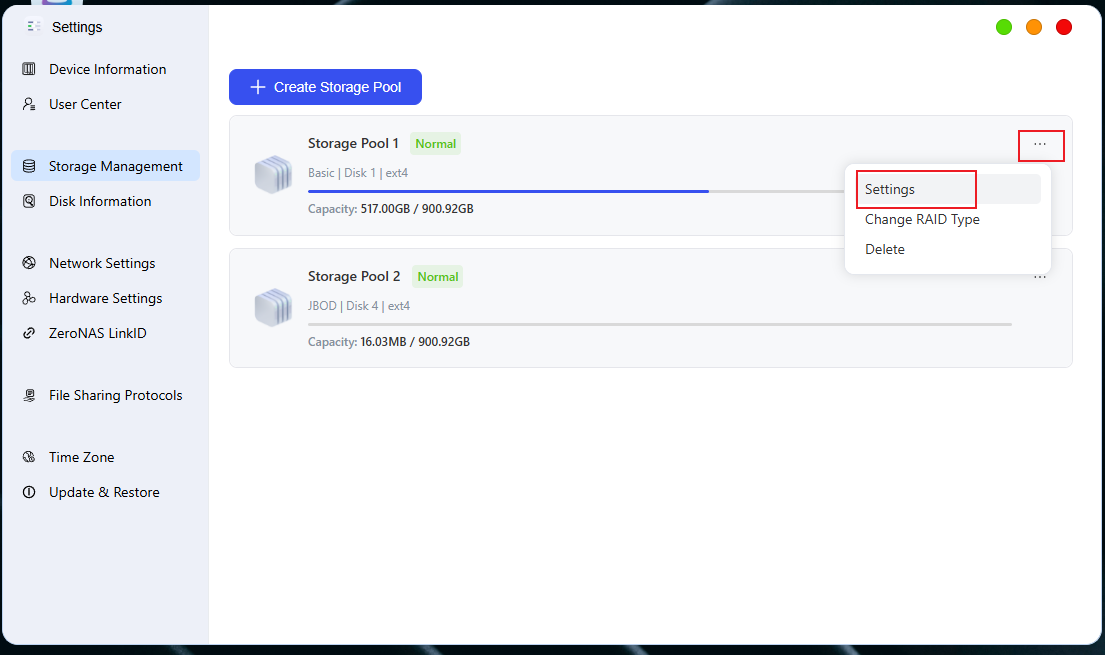
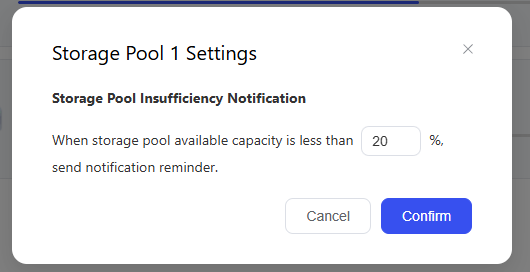
- In the pop-up box, enter the desired capacity notification percentage, then click " **OK **" to complete the settings.
⚠️ Important Notice
-
Data Backup: Creating a storage pool will format the selected hard drives, and all data on them will be completely lost. Please be sure to back up important files in advance.
-
The creation process cannot be interrupted: Do not power off or force a restart during storage pool creation, as this may result in data corruption.
-
**Capacity Reminder **:It is recommended to enable the storage pool insufficient capacity reminder function to avoid affecting normal usage due to running out of space.